
Live drop-in Q&A: an online public meeting
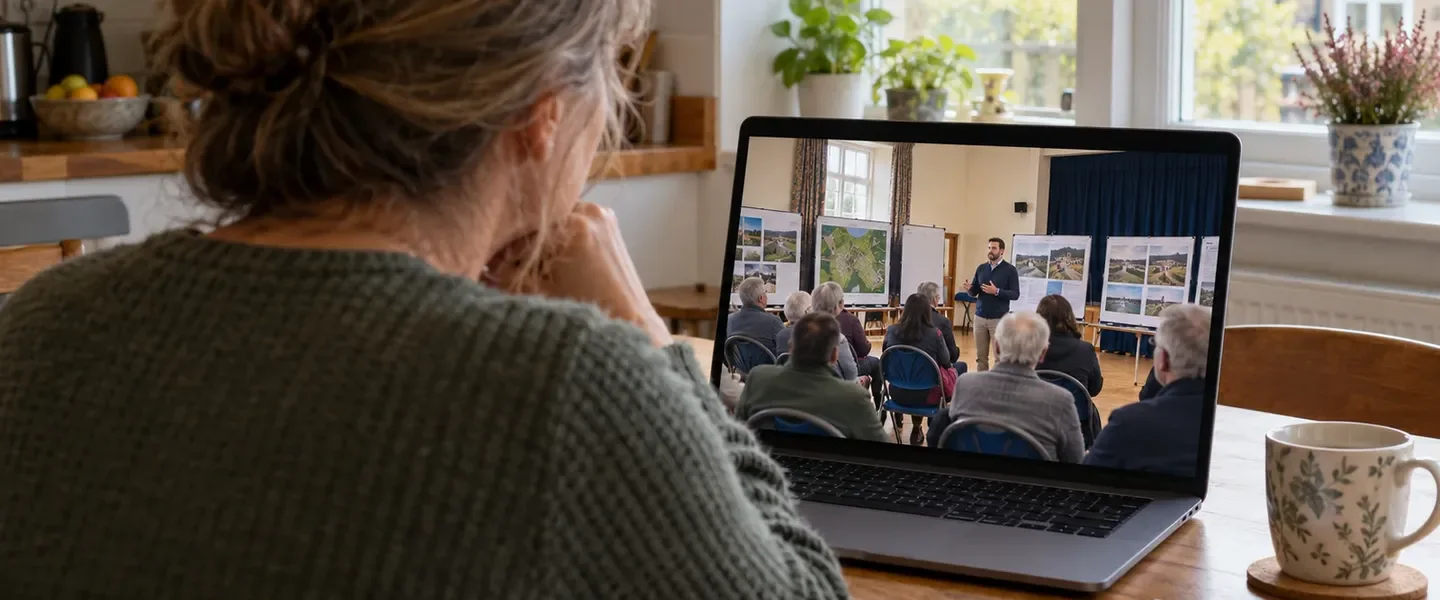
Public exhibitions and drop-in events remain an important part of consultation. They do, however, suit some people far better than others. A weekday evening in a community hall rules out many parents and shift workers, as well as anyone who finds it hard to get there.
Live drop-in sessions bring the same conversation online. Residents ask questions on the project website and vote for the ones they most want answered. The team replies as the session runs. Everything stays on the website for others to read afterwards. The examples here are from Boyd Park, our demo project: a fictional garden village scheme by Dalton Developments.
Before the session
Each session has its own page with a description, a start time and buttons to add it to a calendar. Residents can ask to be emailed when it starts. They can also send questions in advance, which helps people who cannot attend at the time.
On dedicated websites, the next session also appears in the notice bar at the top of every page. Visitors can see what is coming up wherever they are on the site.
During the session
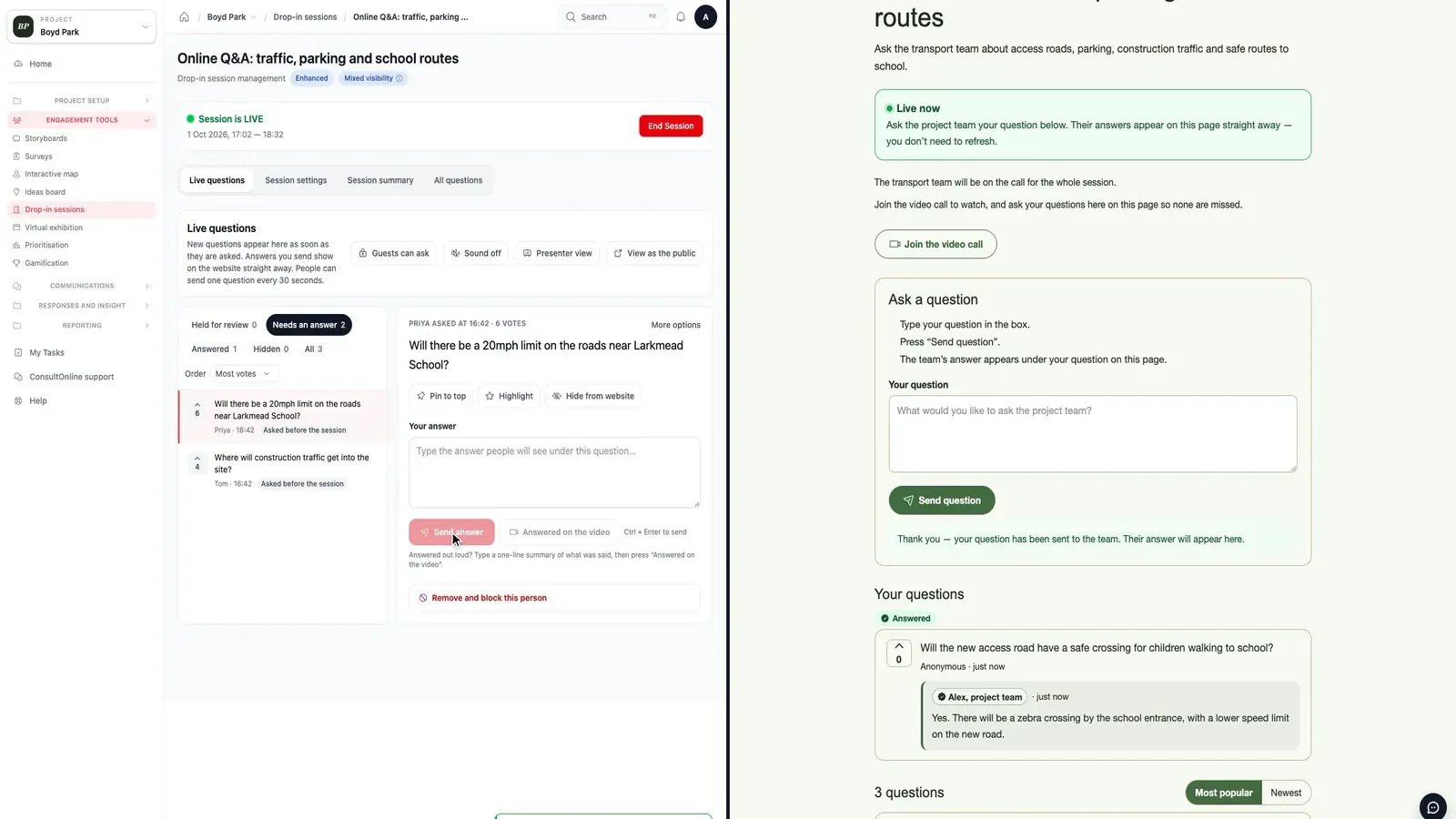
When the team is ready, they press Go live. A Live now banner appears across the website, inviting visitors to join in. People who asked for a reminder are emailed. Questions arrive on the team’s Live questions screen as they are sent, with the most popular at the top.
The team types an answer and it appears under the question on the website, marked with the team member’s name. Some sessions also run on a video call or a YouTube or Vimeo stream. In that case the team can record a one-line summary of an answer given out loud, so it is kept on the website and in the report. A presenter view shows the most popular unanswered question in large text, ready for a second screen.
Answering live
Keeping it constructive
Each session can screen questions automatically and hold back anything flagged for review. Alternatively, every question can wait for approval. A short pause between questions from the same person stops one voice from dominating. If someone causes trouble, the team can require sign-in for the rest of the session or remove and block that person.
Residents can always see what has happened to their own questions under Your questions, including whether each one has been answered or is waiting for the team. Guests who have not signed in can see this too.
After the session
When the session ends, questions close but everything remains on the website for people who could not attend. ConsultOnline then drafts a summary of what was discussed, with key findings and the most popular questions, ready for your consultation report.
Drop-in sessions in 30 seconds
Read the video transcript
The video opens with the words: not everyone can get to a community hall at 6pm.
Host a live Q&A online: people ask questions and vote for the ones they want answered.
Answer while people watch: your answers appear on the website straight away.
Every session, summed up: questions, answers and key findings, ready for your report.
It closes with: online drop-in sessions. ConsultOnline. The video has music and no narration.
Online and in person
Online sessions work alongside in-person events rather than replacing them. On Boyd Park, the same page lists an evening drop-in at the local guildhall next to the online sessions. Questions sent in advance are answered on the night and kept online, so people who could not attend in person can still read the answers.
How it works
- Schedule a session under Drop-in sessions in the project dashboard. Add a meeting or video link if you are also on a call.
- Choose how questions are checked, whether guests can vote and whether the session starts and ends automatically.
- Press Go live, answer questions as they arrive and press End session when you have finished.
- Generate a summary for your report.
A public meeting people can actually attend
Live drop-in sessions are included in our Enhanced and Bespoke packages. To try a session on Boyd Park, book a demo.