
One website from consultation to construction
Most consultation websites are built for a few weeks of feedback. When the consultation closes, they go quiet. Yet residents still want to know what happens next: when the application will be decided, when work will start and who to call if a lorry blocks their road.
A ConsultOnline website can now follow a scheme from consultation, through the planning application and into construction. The address stays the same. Subscribers stay in touch. The content changes to suit each stage. The examples here are from Boyd Park, our demo project: a fictional garden village scheme by Dalton Developments.
Content for each stage
On a dedicated website, each page and section can be set to show at every stage or only at some. When you edit the website, you first choose which stage you are editing for. You can then customise the content for that stage or simply use the same content as the stage before.
Before switching, you can preview the website as it will look at the next stage. When you are ready, a project manager switches the website over, with the option to tell subscribers. Pages that are hidden at the new stage disappear from the live site, along with the links to them.
Following the planning application
Once an application is submitted, the planning tracker shows residents where it has reached: submitted, validated, council consultation, committee and decision. It also shows the application reference, the key dates and how to comment to the council. A history records each step.
Planning tracker
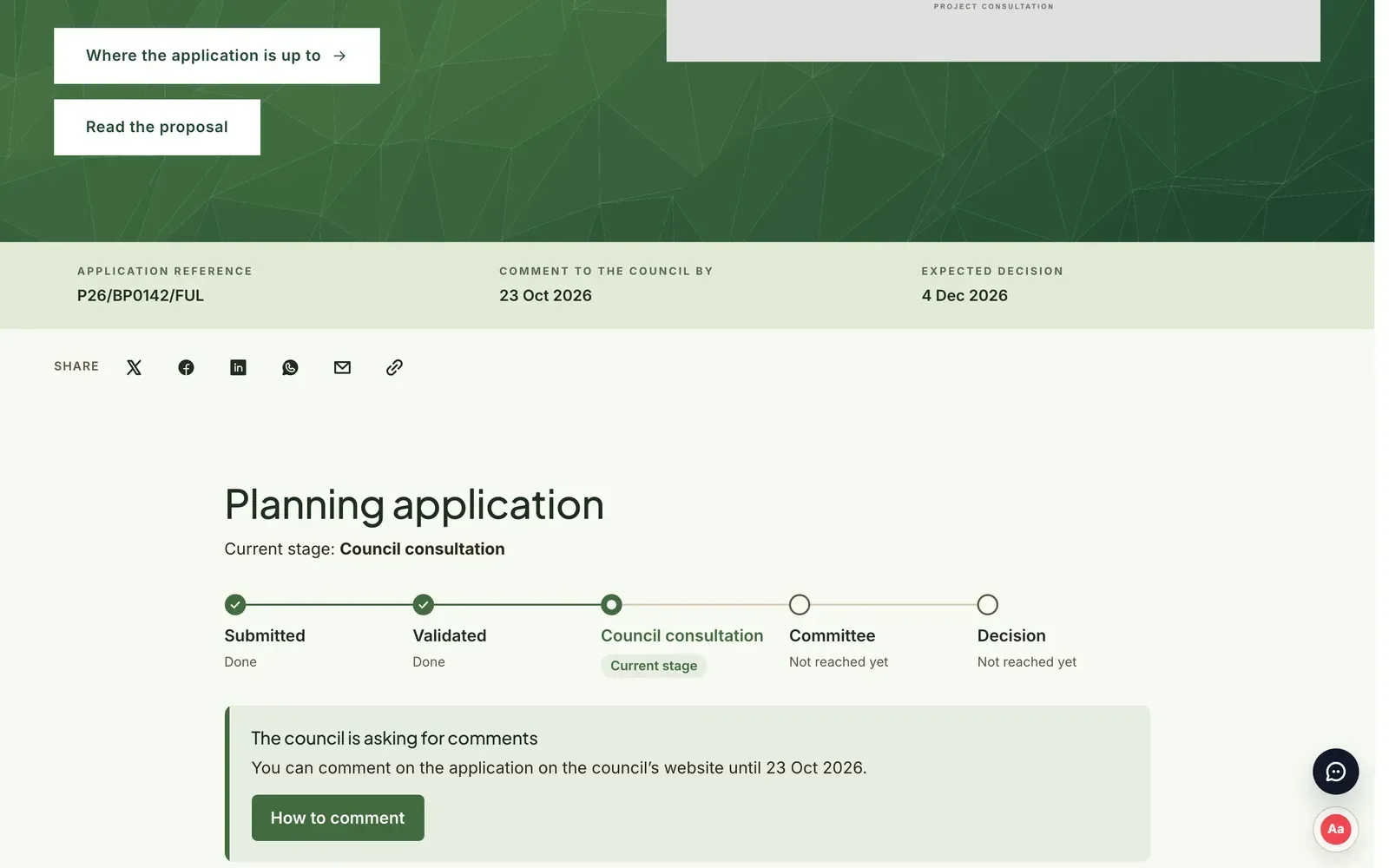
Your team updates the tracker as the application progresses. Subscribers are told when the council’s comment period opens and again three days before it closes. That helps make sure local supporters do not miss the chance to respond.
Keeping neighbours informed during the build
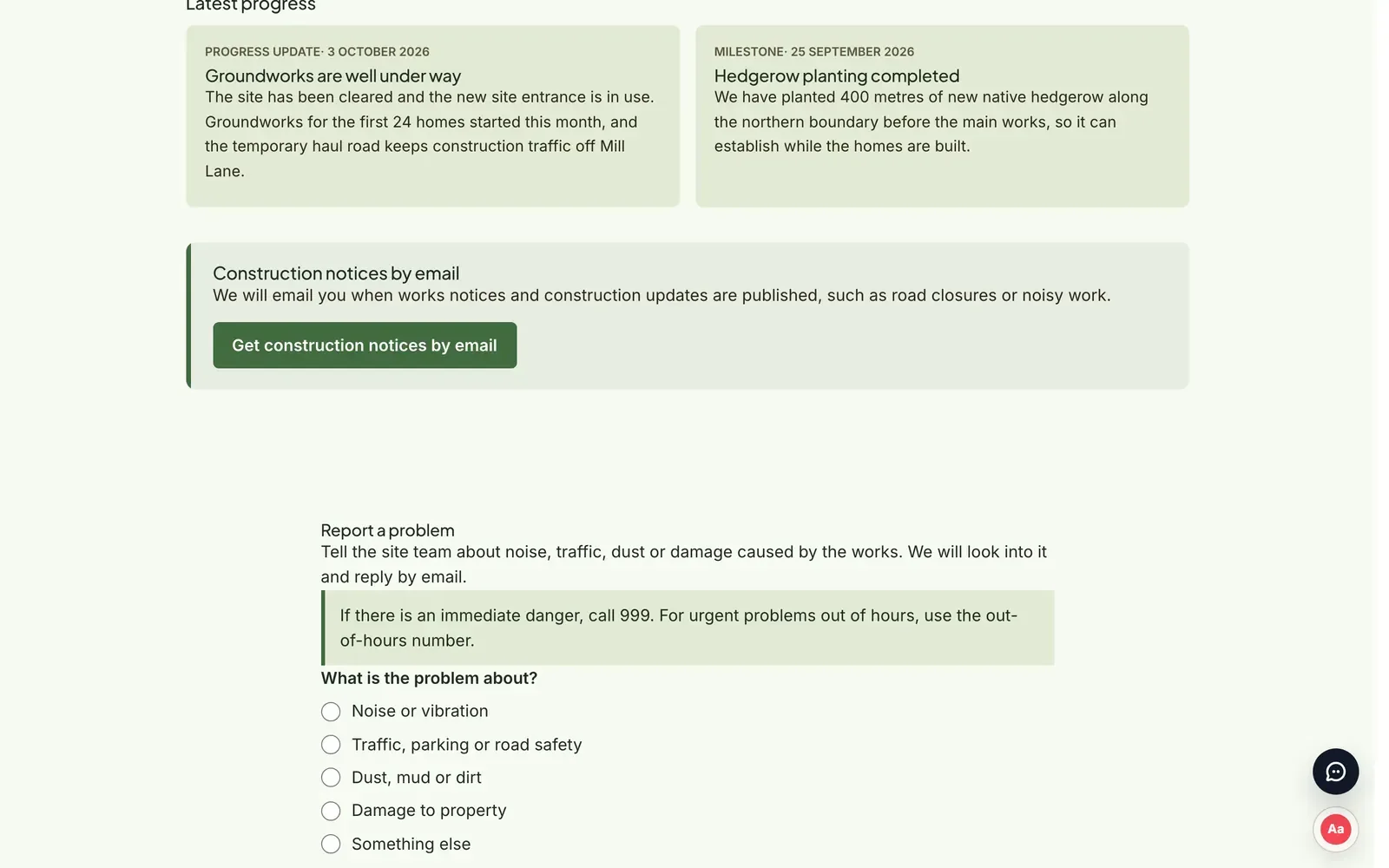
During construction, the website becomes the place for works information. The team can publish progress updates, works notices, road closures, working hours, deliveries and milestones. Each can have a photo and a location. Notices with dates appear under “Notices in force now” while they apply.
The page also shows working hours, the site contact, an out-of-hours number and the Considerate Constructors Scheme registration. Residents can sign up to receive construction notices by email.
Reporting a problem
If the works cause a problem, residents can report it from the construction page. They choose whether it concerns noise, traffic, dust, damage to property or something else. They can add a photo if they wish. Each report reaches the project’s support inbox and the contractor is notified, so it can be looked into and answered by email.
Report a problem
Contractors can be given their own login with a restricted role. They can post construction updates and see problem reports, but nothing else in the project.
Why one website matters
Keeping the same website through every stage builds on the trust established during consultation. Residents already know where to look. The subscriber list gathered during consultation becomes the audience for planning and construction updates. The record of what people said, and how the scheme responded, stays in one place.
How it works
- Add the application details and stage under Planning application in the project dashboard. Update it as the application progresses.
- Choose which stage each page and section belongs to in the website editor. Preview the next stage before switching.
- Post updates under Construction updates. Invite contractors with the contractor role.
- Choose whether to notify subscribers when you switch stage or publish an update.
A relationship, not a campaign
The planning tracker is included in every package. Stage-specific content and construction updates are part of our Enhanced and Bespoke packages. To see Boyd Park at each stage, book a demo.