
Knowing when engagement needs attention
Consultations rarely fail suddenly. Responses slow. A survey stops attracting new people. A website goes weeks without fresh news. By the time anyone notices, the closing date is close.
Engagement alerts give the project team an early warning. Each week ConsultOnline scores how the consultation is doing and tells the team when something needs attention. The examples here are from Boyd Park, our demo project: a fictional garden village scheme by Dalton Developments.
A weekly engagement score
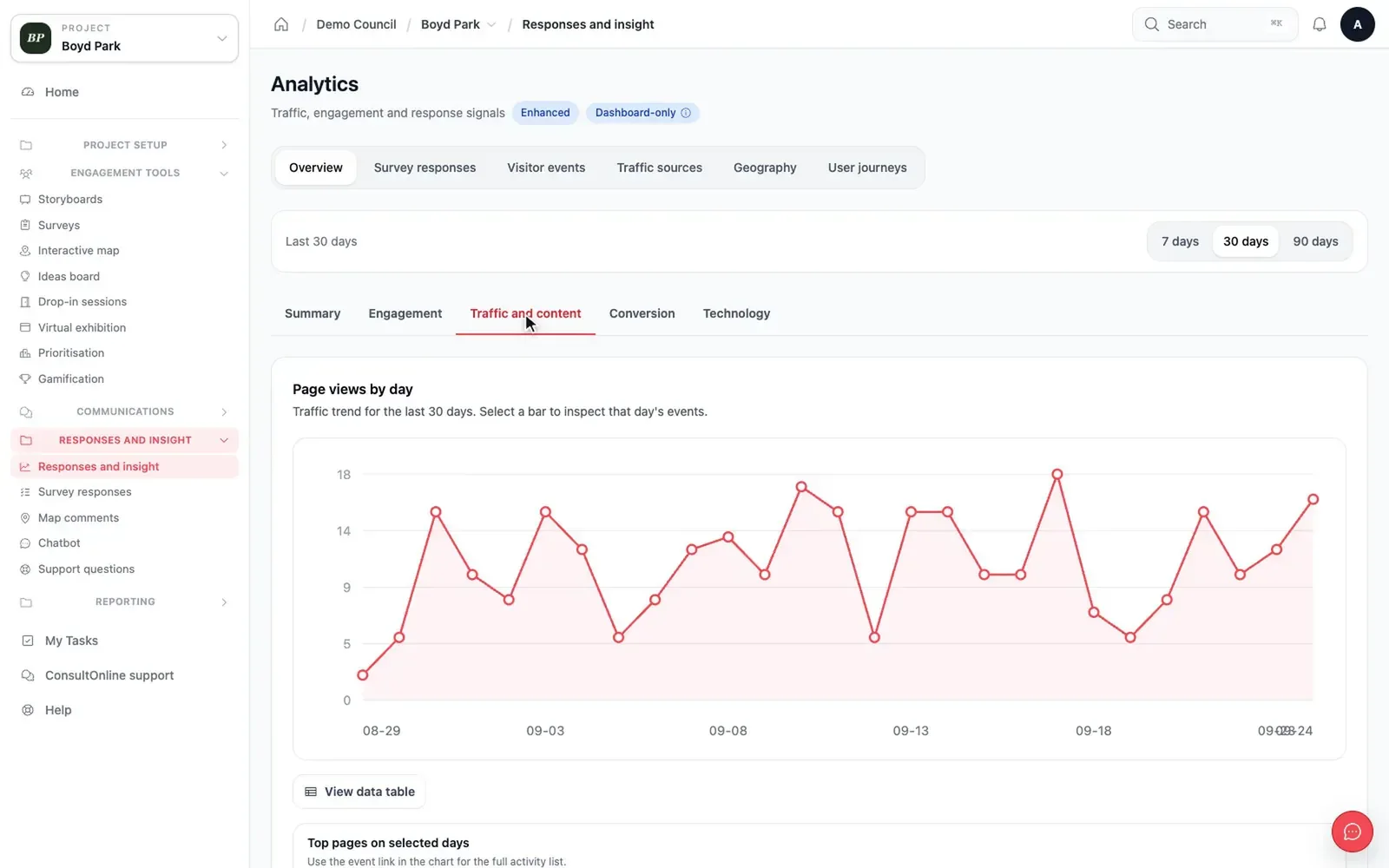
Every Monday morning, each active consultation receives a score out of 100. The score appears on the project’s Analytics page. It is based on what the consultation offers, such as responses, visits, subscribers and how recently content was updated.
It only scores what applies. If a project has no survey, that part is shown as not scored and the rest is scaled to 100. The suggestions that accompany the score do not recommend things the project cannot do. Projects with no open survey and no published news are not scored at all.
The score is a guide rather than a target. A small consultation for a handful of homes will look different from a major scheme. It is most useful for spotting change from one week to the next. Alongside it, the Analytics page shows visits day by day, the most popular pages and where visitors came from, so the team can see what lies behind a change.
Analytics
Alerts when something changes
The team is alerted when:
- the score falls below 20 out of 100
- the score has fallen two weeks in a row
- a survey is open but has received no responses this week, after receiving some the week before.
Projects that publish news are also flagged on the Analytics page when there has been no news for more than two weeks. This is a gentle prompt rather than an email.
Sent to the right people
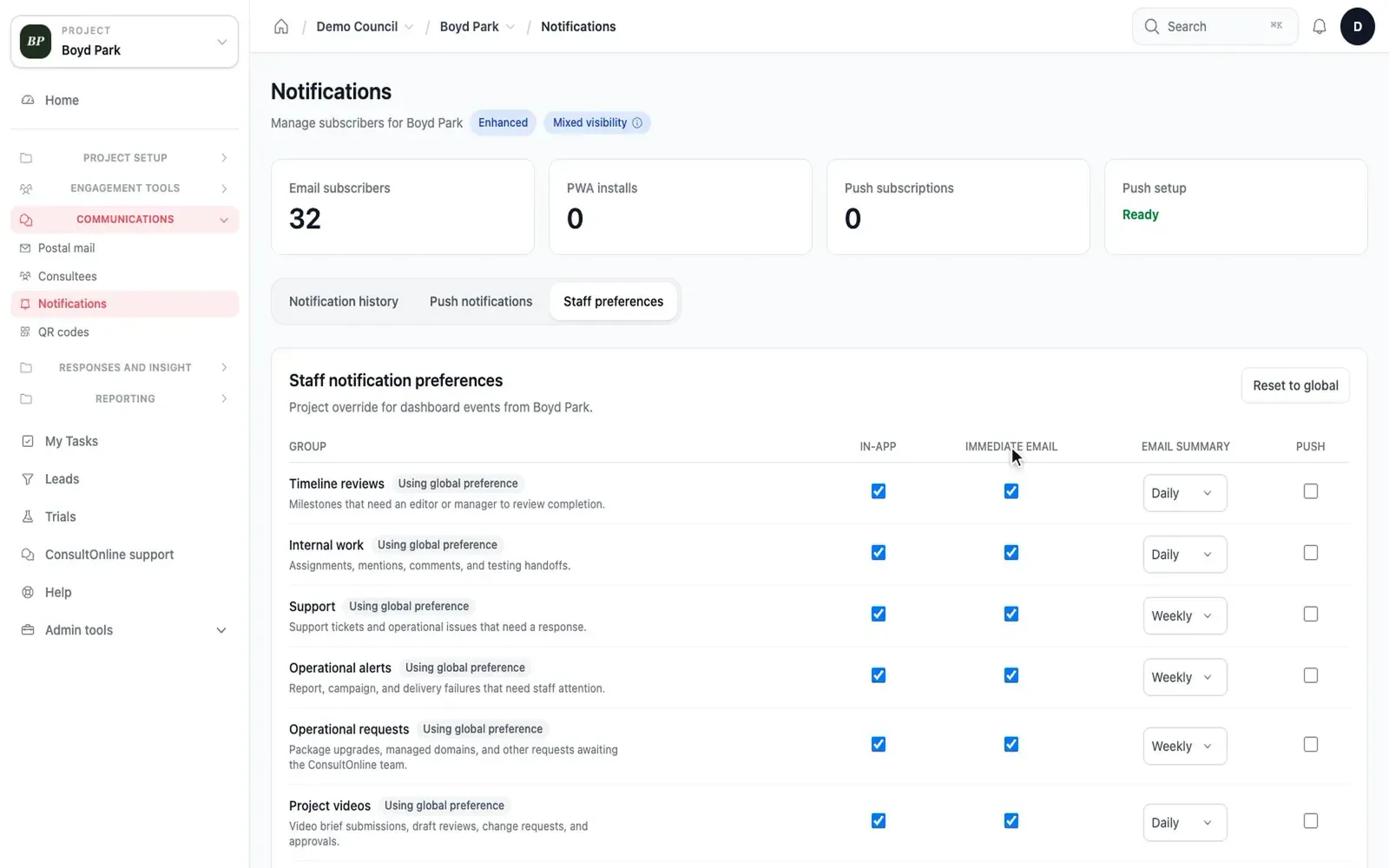
Alerts go to the project’s managers and editors as well as the organisation’s owners and administrators. By default they appear in the dashboard and arrive by email straight away. Each person can change how they receive them in their operational alerts preferences. The same alert is sent no more than once a day.
Notification preferences
Alerts can be switched off for an individual project in Project settings. The weekly score still appears on the Analytics page.
What to do with an alert
An alert is a prompt to look more closely. The Analytics page shows which parts of the score have changed. A falling score might suggest a reminder to subscribers, a news story or a social post. A survey that has stopped receiving responses might call for a postal reminder to the households you have not yet heard from. Because the alert arrives while the consultation is still open, there is time to act.
Alerts are deliberately few. They are designed to catch a real change in a consultation, not to report every quiet day, so the team can trust that an alert is worth reading.
How it works
- Scores are calculated every Monday for active projects and shown under Analytics.
- Alerts are on by default. Switch them off for a project with Send engagement alerts in Project settings.
- Choose how you receive operational alerts in your notification preferences.
Fewer surprises at the end of a consultation
Engagement alerts are part of every ConsultOnline project. To see how analytics work on Boyd Park, book a demo. You can also read more about real-time analytics and compare our packages.
Video transcript
A short animation with no sound. Five residents stand on a street. Speech bubbles rise from them one after another as they share their comments.
Beside them, a board headed “Live results” updates as each comment arrives. A sentiment dial swings from red towards green.
Theme labels appear for parking, green space and play areas. A bar chart grows to show how often each theme comes up.